← Back to Work

Google Planning Tool

Helping Google Real Estate Planners Plan, Forecast, and Deliver the Right Spaces
Outer Labs × Google • 2025

Role: Lead UX Researcher • Usability Testing & Design Validation

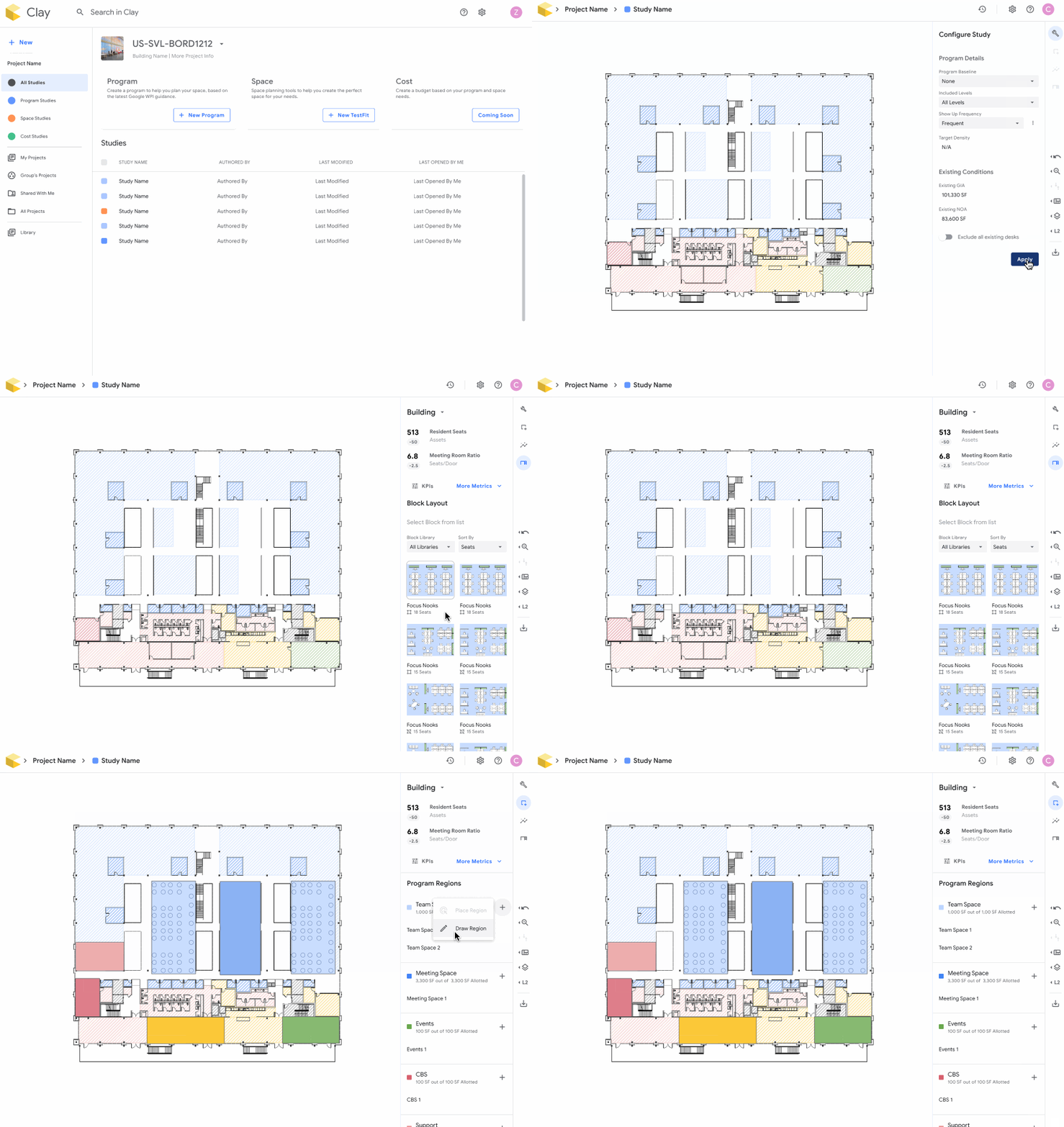
Google Planning Tool Demo

Context

The Challenge

Google Real Estate needed to merge two separate planning tools into one unified platform for space planning

Team Concern

Would the new merged design actually meet user needs before investing in full development?

My Role

Product Strategist on team with 1 Product Designer, 1 PM, 5 Engineers

Timeline

3 Weeks
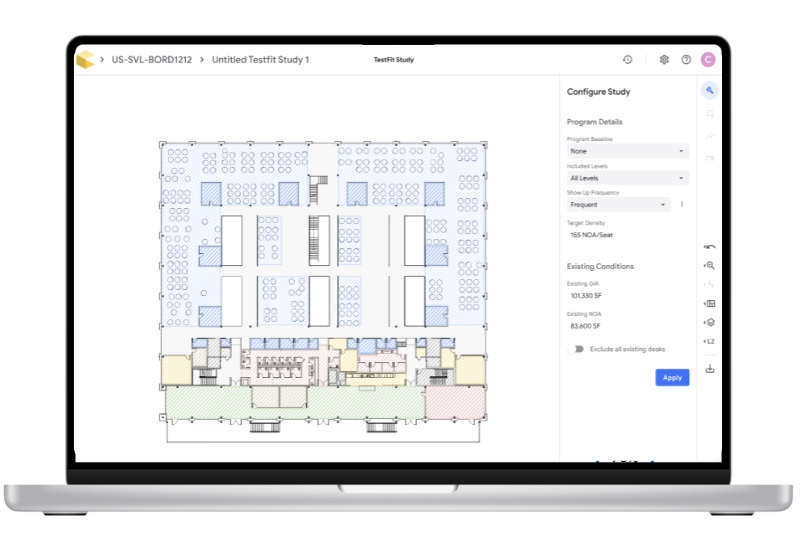
Google Planning Tool Interface showing TestFit Study with floor plan and configuration panel

The Problem

High uncertainty that the new designs would not meet users needs

Before committing engineering resources, we needed to validate the design and identify potential barriers to adoption

Research Goals

👥 Target Users

  • Who is this most useful for, when, and for which tasks?
  • Helps marketing, communications, and change management be precise, targeted, and clear

🎯 Goal Achievement

  • Can users successfully accomplish their primary goals?
  • Determines if minimum features as implemented today will meet their needs

💡 Barriers to Adoption

  • Are there barriers to adoption?
  • Uncovers and highlights barriers in their most common workflows before launch

Research Approach

My Recommendation: Define critical user journeys and test those specific flows to focus the study

📊 Research Methods

  • Usability testing with clickable prototype
  • Post-session survey for quantified results

👥 Participants (6 Total)

  • 2 Executive
  • 2 Project Managers
  • 2 Designers
Why Post-Session Questionnaire?

Provided clear, quantified results that were easy for the team to digest and prioritize.
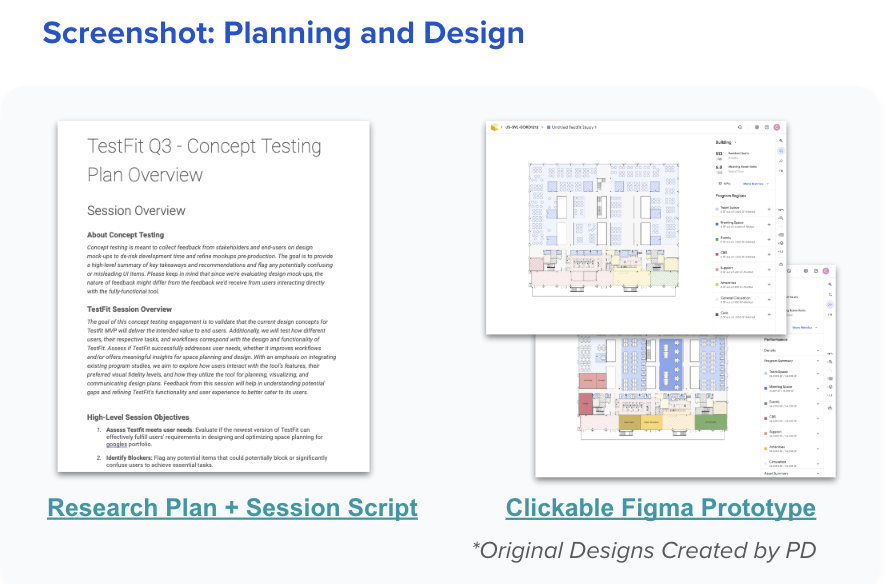
Research Plan and Clickable Figma Prototype

Critical User Journey

Goal: Visualize and edit space layouts to align with proposed program

Create Study
Link program study as reference
Configure Study
Specify parameters
Create Layout
Place programs to meet goals
Review Metrics
Check alignment with targets
Toggle Fidelity
Refine layout detail

Hypotheses

High Risk
Visual & Functional Differentiation
Current distinction between regions and blocks in SpacePlan is clear to users
Invalid
High Risk
Visual Fidelity Adaptability
Users need to switch between fidelity levels and find both views beneficial
Valid
Preference for Existing Conditions
Users prefer to start from existing conditions rather than a blank slate
Invalid
Typical Project Workflow
Project executives evaluate programs at high level, then hand off to designers for detailed layouts
Valid
Portfolio Optimization
SpacePlan efficiently facilitates planning for specific portions of the floor plan
Valid

Small But Impactful Insight

Floor plan preview distracted users during setup

The canvas view during project configuration caused confusion about how the program worked

Evidence
6/6 participants mentioned confusion with auto-generated floor plan
Impact
Caused delays in program selection and misunderstanding of tool functions
Recommendation
Remove or halftone canvas to emphasize project setup
"I thought I was in a project, not setting it up"
— Participant quote

Rapid Iteration

The Pattern
Consistent feedback highlighted redundant features and confusing flows.
Our Response
Caused delays in program selection and misunderstanding of tool functions.
The Result
Simplified workflow by combining redundant steps within 1 day of testing.
1
Day Turnaround
From insight to redesign

Outcomes

160
Engineering hours saved
5/5
Key issues identified
Validated Target Users
Most useful for product managers in early stage design for quick spatial planning with real-time metrics
De-risked Development
Prioritized features causing friction instead of developing unnecessary functionality, avoiding significant rework
Streamlined Design
Removed redundant steps and clarified user flows based on direct feedback from target users

Learnings

Raise concerns early and align quickly
Close collaboration and rapid alignment across the team turned insights into action within days, not weeks
Prioritize what to test, not everything
Caused delays in program selection and misunderstanding of tool functions
Post-session questionnaire created rallying points
Provided clear, quantified results that were easy for the team to digest and prioritize.